Web & CMS
Shopify
Connect and manage Shopify stores from the desktop. Browse admin, products, orders, and customers.
Widgets
Product and Files detail panels when a row is selected
On this page
Shopify Products widget
Appears when a product row is selected in the Products table.
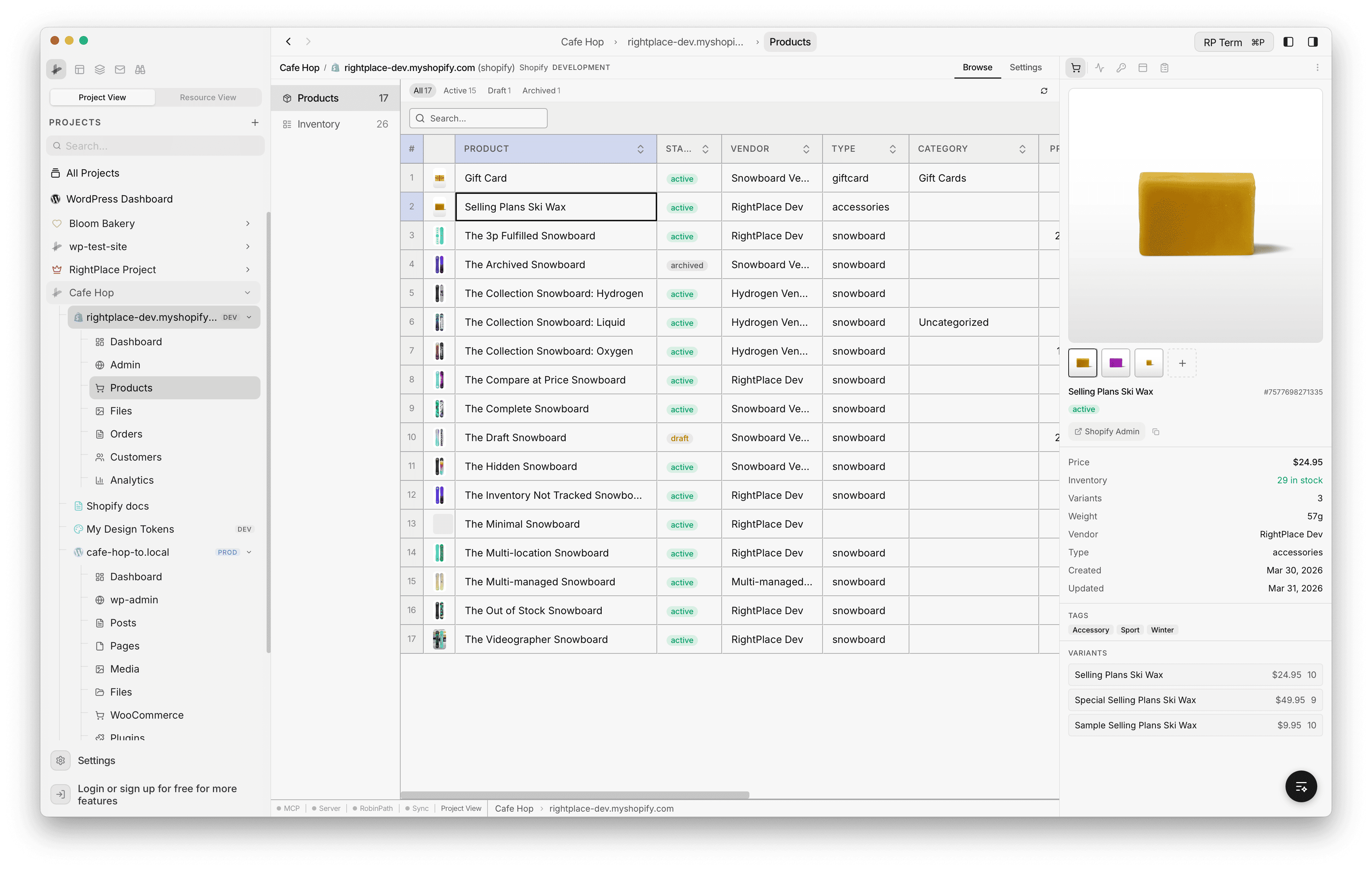
Detail fields:
- Product title, image preview, and status (active, draft, archived)
- Price, compare-at price, SKU, barcode, and weight
- Inventory tracking status and total quantity
- Created and updated dates
- Variant details: breakdown of each variant with price and inventory
- Image gallery: preview product images, link or unlink files via the file picker
- Collections: list of collections the product belongs to, with an edit button
- Shopify admin link: direct link to the product in Shopify admin (clickable and copyable)
Shopify Files widget
Appears when a file is selected in the Files grid.
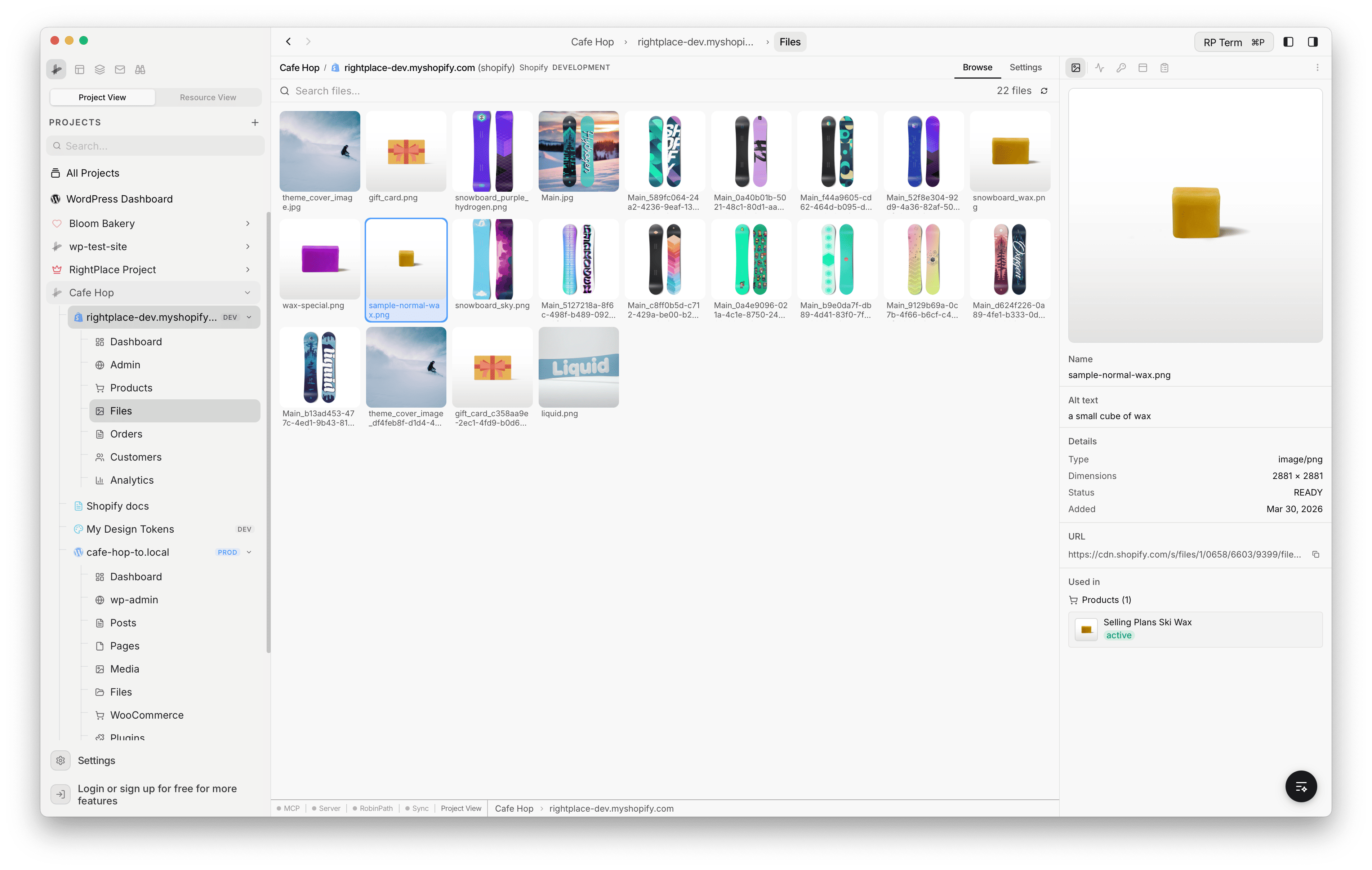
Detail fields:
- Image preview
- Filename and URL with copy button
- File metadata: format, dimensions, creation date
- Linked Products: all products that use this file, with thumbnails, status badges, and quick navigation