Shopify
Connect and manage Shopify stores from the desktop. Browse admin, products, orders, and customers.
Inventory
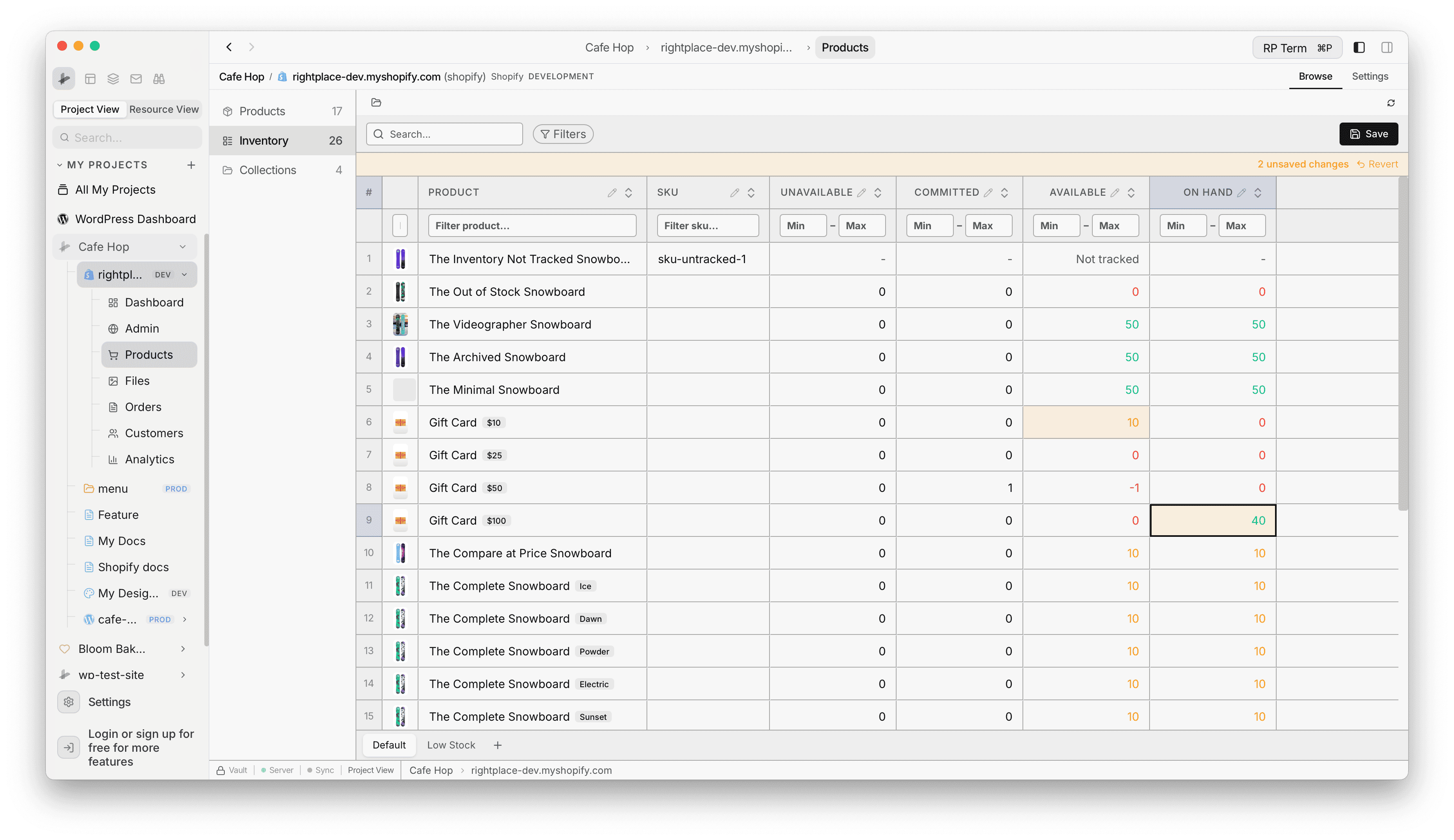
In the Shopify applet, pick Inventory in the middle column between Products and Collections. The count is the number of inventory rows (variants and locations). The main pane becomes a SmartTable of stock levels instead of the product catalog.
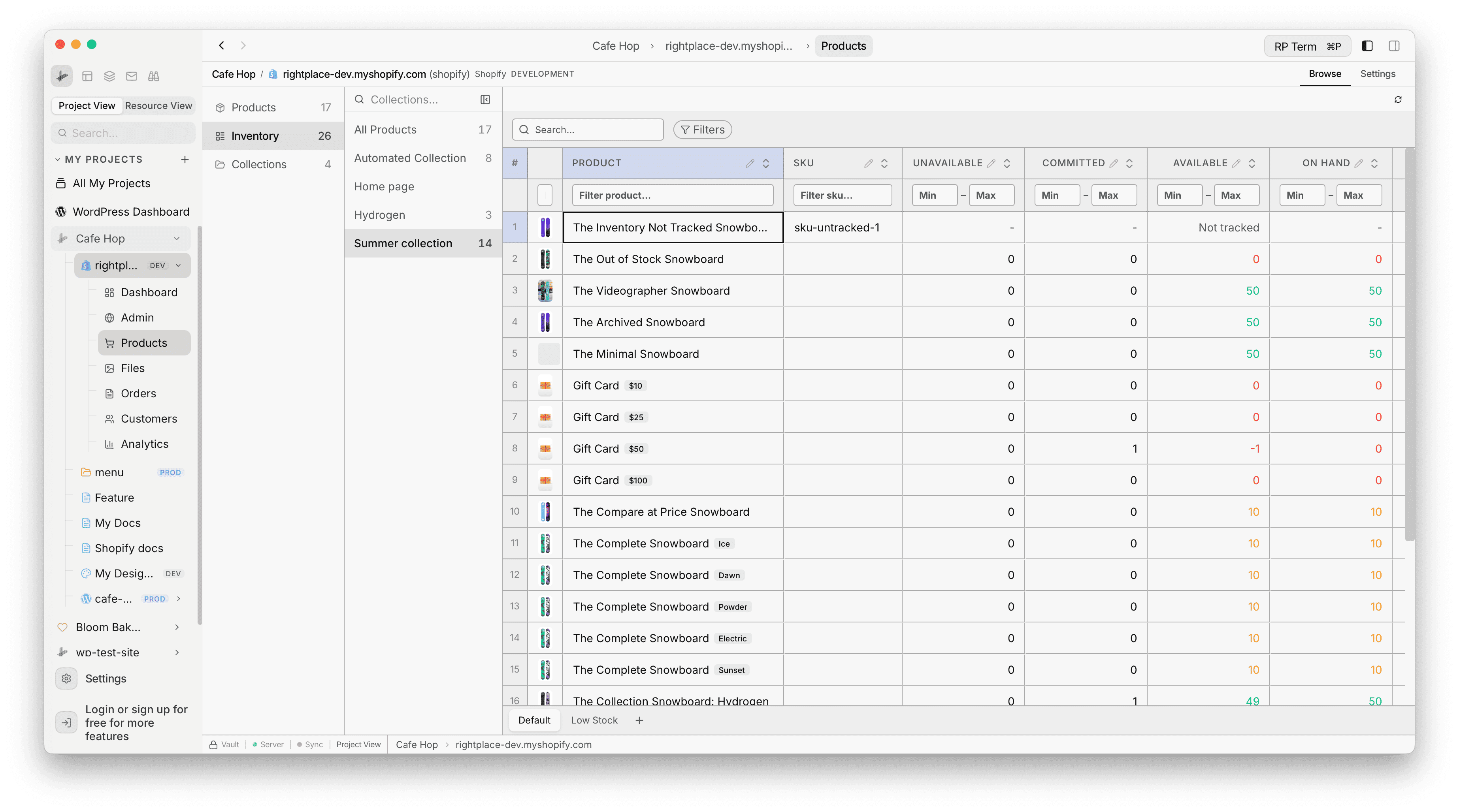
Filter by collection
The collections list in the rail still works while Inventory is active. Choose a collection to limit rows to variants that belong to that collection, or All Products to clear the filter.
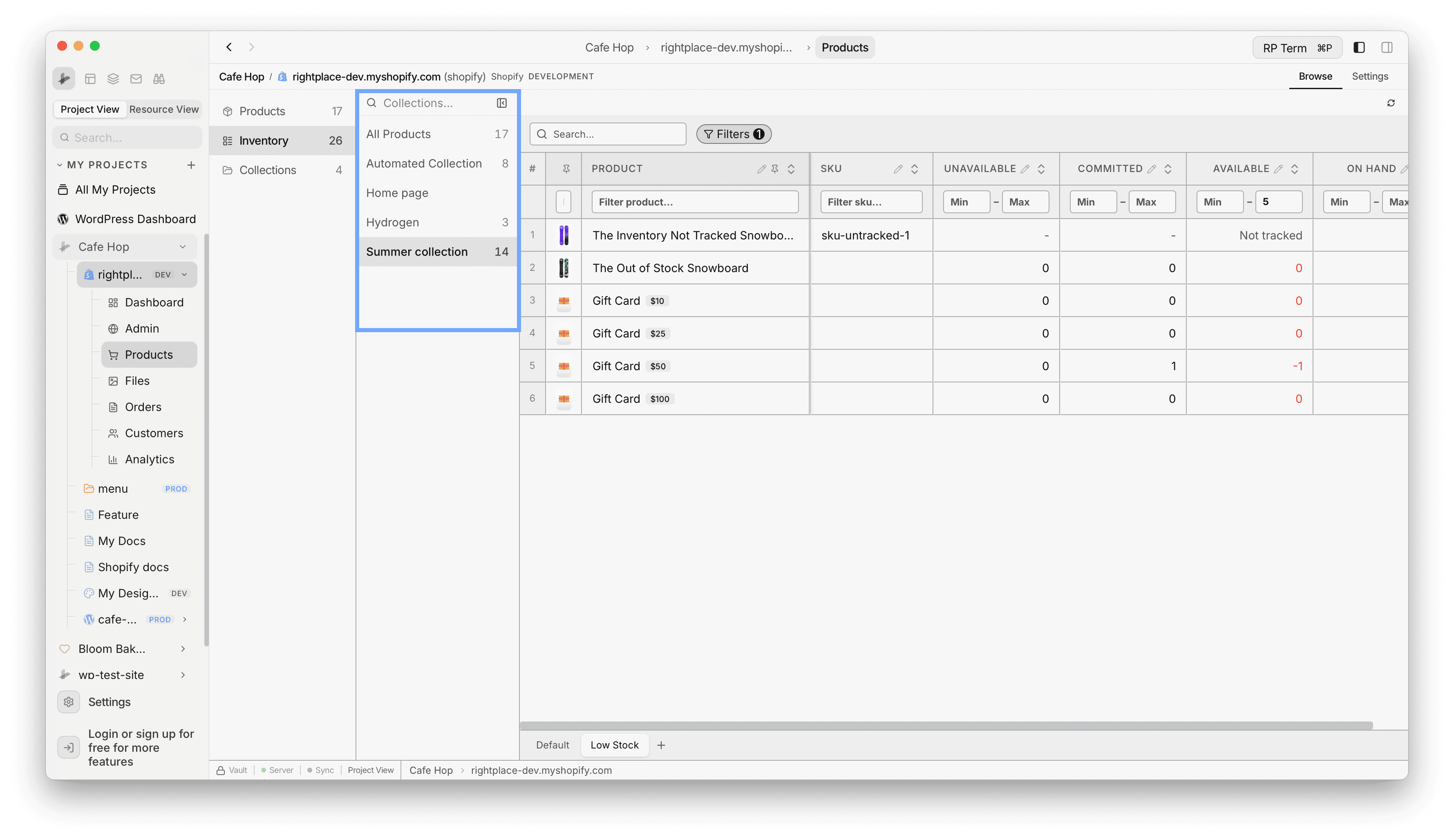
Columns and filters
Each row is a variant at a location. Typical columns include Product (with thumbnail), SKU, Unavailable, Committed, Available, and On hand. Numeric columns expose Min and Max inputs under the headers for quick range filters. When tracking is off for a row, Available shows Not tracked instead of a number.
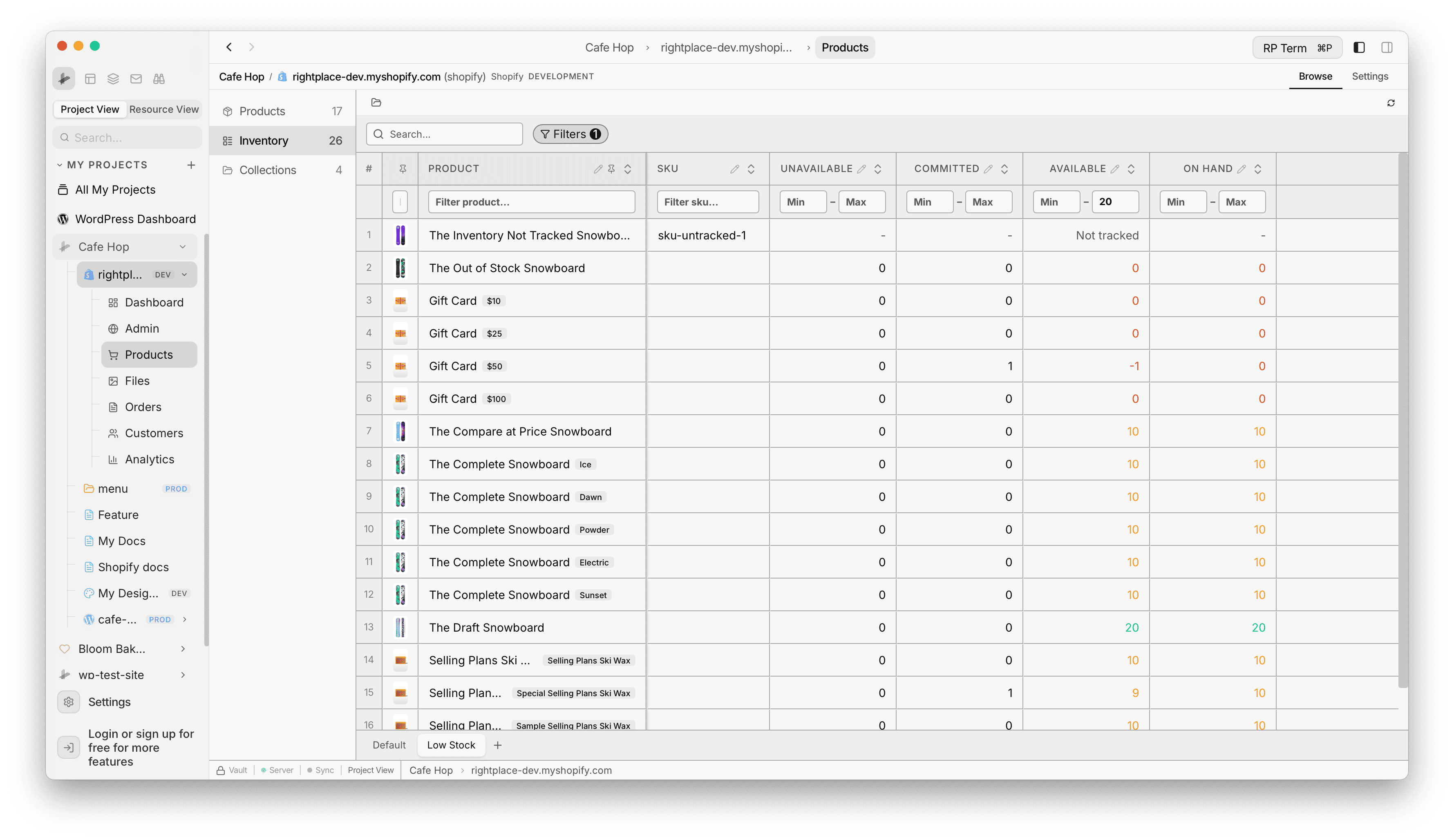
Inventory Views
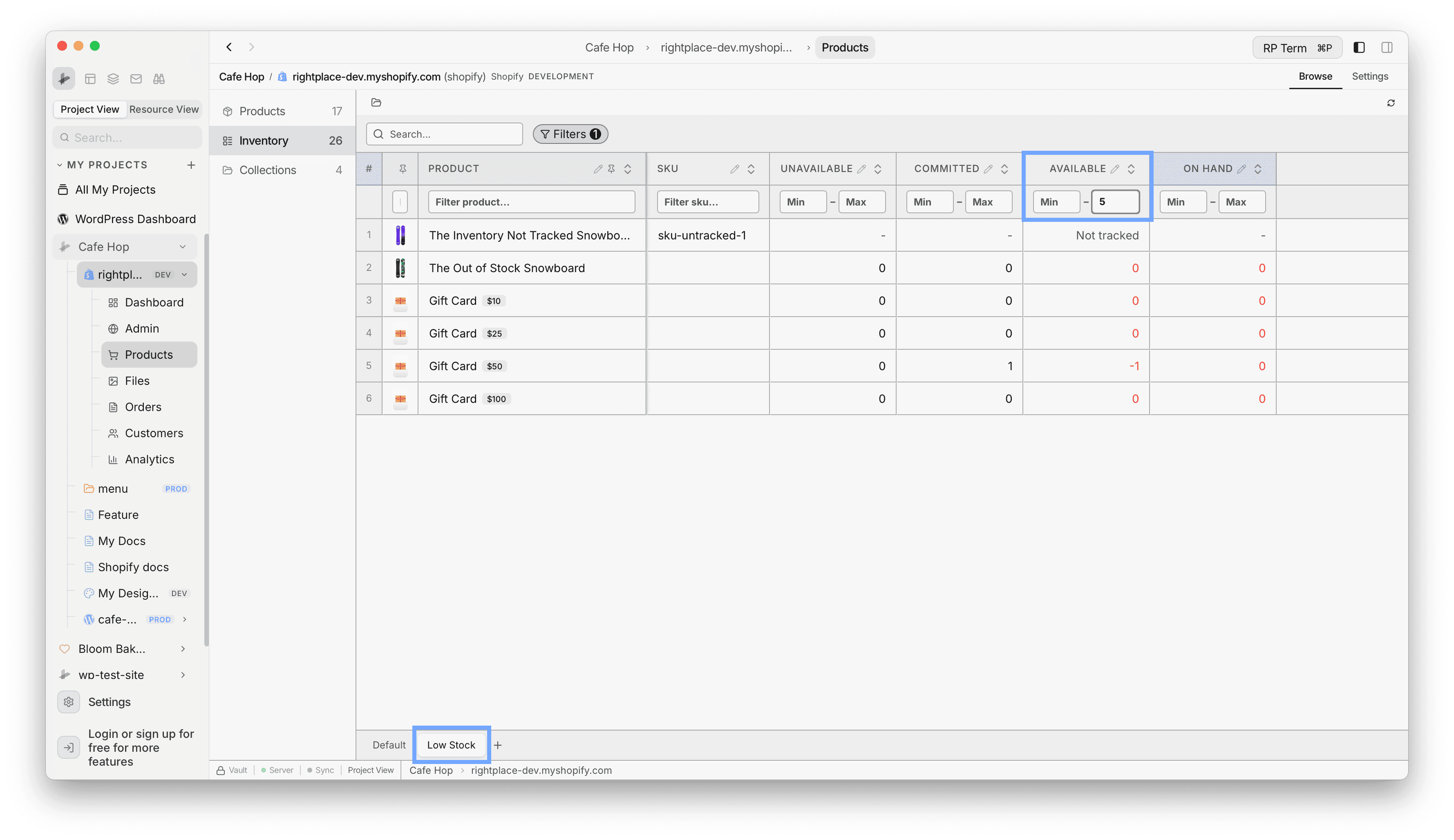
Tabs at the bottom of the table switch saved views for this inventory grid (for example Default and Low Stock). While a tab is active, sort and filter changes in the SmartTable are stored in that view. The idea matches Product Views on the Products page, but inventory keeps its own set of tabs and saved state.
Inline edits and Save
Edit tracked quantity cells directly. Pending edits show an unsaved changes banner with Revert. Use Save to push committed rows to Shopify.
Bulk Edit Quantity
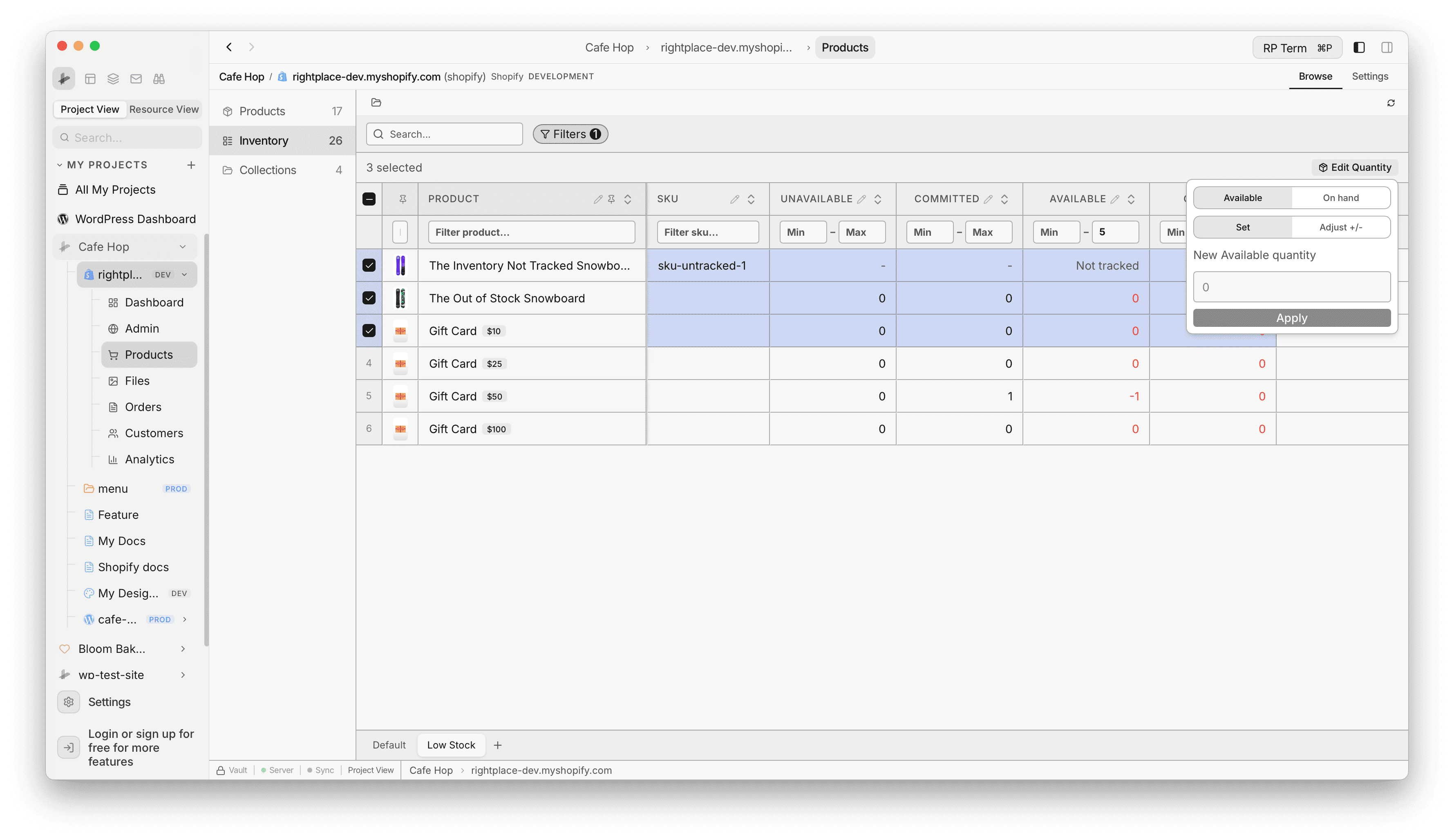
Select one or more rows with the checkboxes. Open Edit Quantity to choose Available or On hand, pick Set or Adjust +/-, enter a value, then Apply. The app updates the selection and refreshes the grid.
Sync
Use Sync (or the refresh control in the toolbar) to pull the latest inventory numbers from Shopify after changes made elsewhere.
Related
To create collections, edit smart rules, or open the collection detail widget, use Collections in the middle column.