Content
Posts, pages, and media
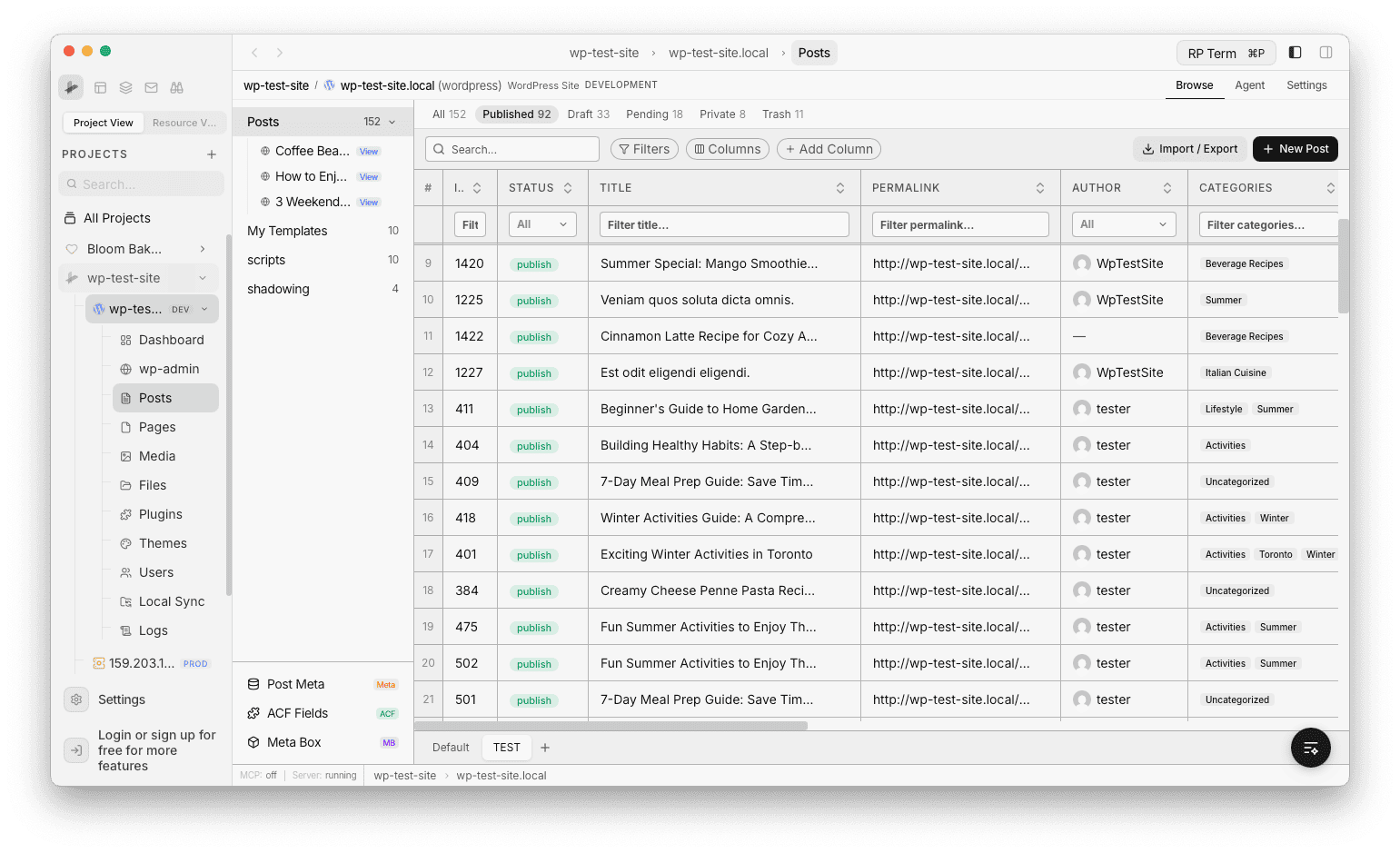
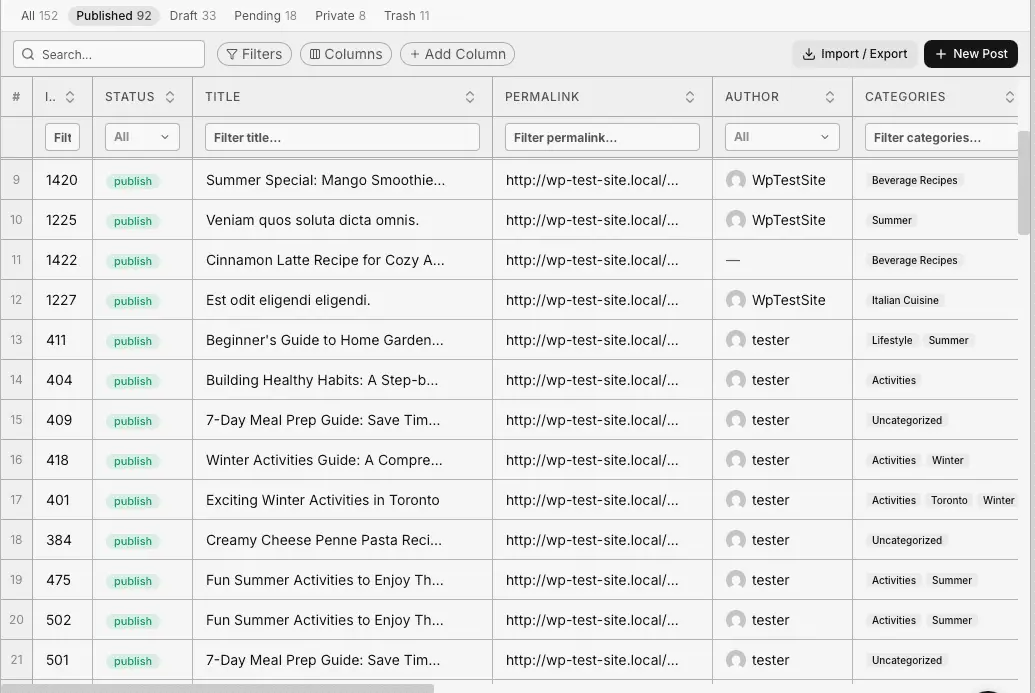
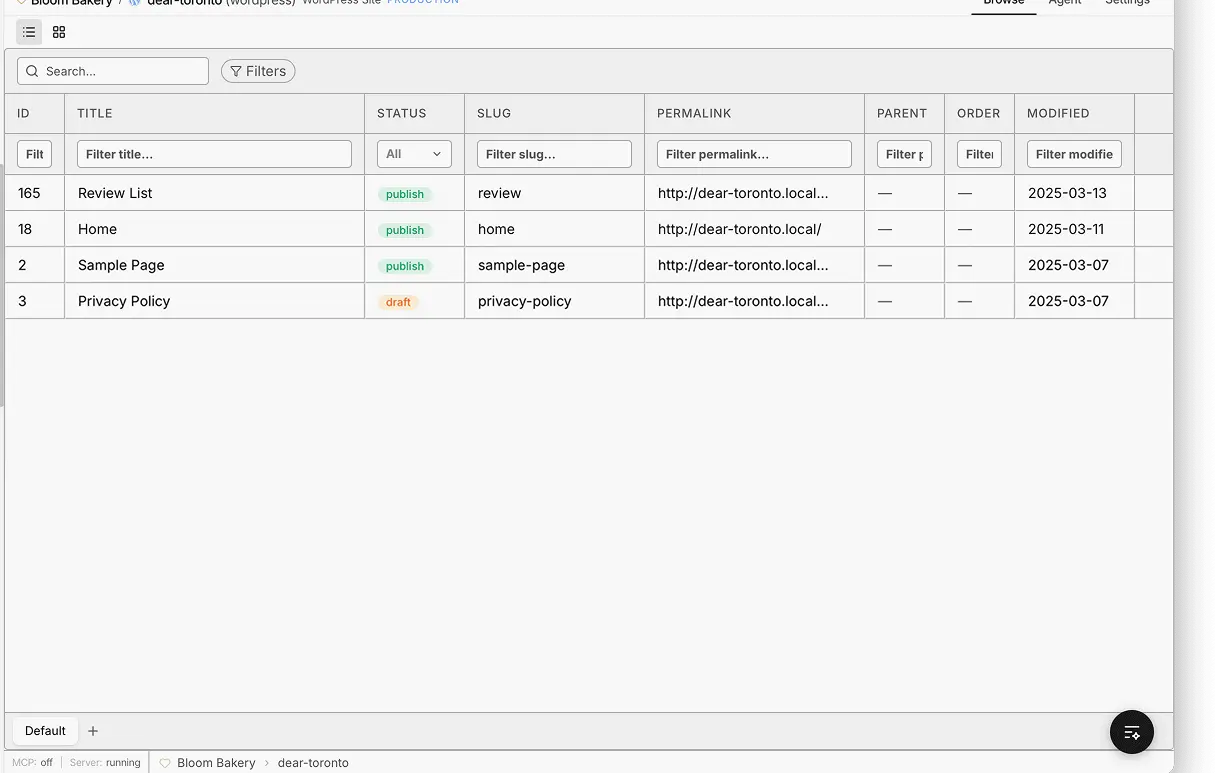
Inline-editable tables for posts and pages with ACF and custom fields as columns, saved views, and a media library with a built-in image editor.
WordPress Applet
Connect any site, operate content, commerce, files, and users from spreadsheet-fast tables. No wp-admin. 200+ tools for agents.
The UIs people use
The tools agents call
What you can manage
Content, commerce, files, plugins, and users. Each one is a real UI for your team and a tool agents can call.
Content
Inline-editable tables for posts and pages with ACF and custom fields as columns, saved views, and a media library with a built-in image editor.
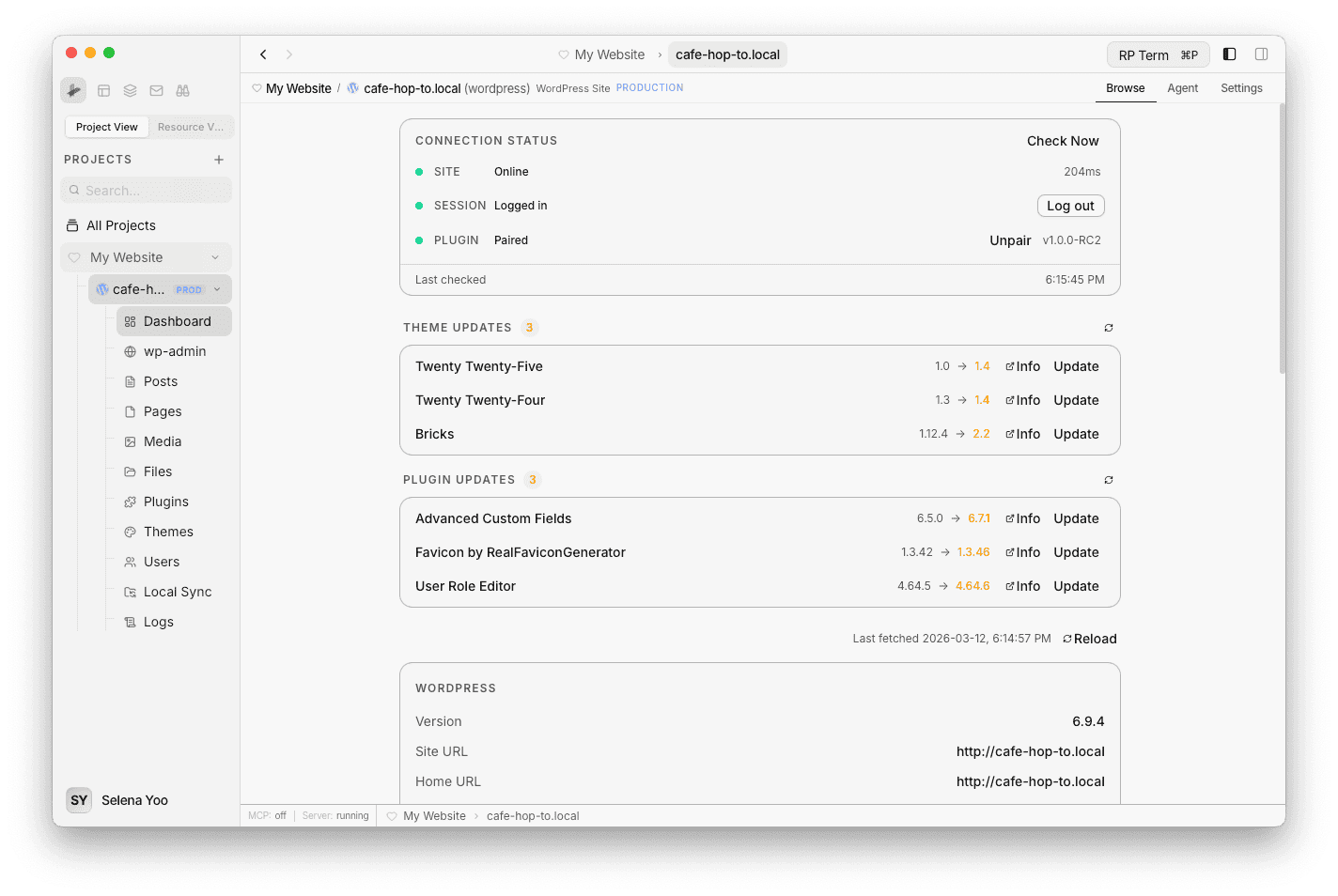
Operations
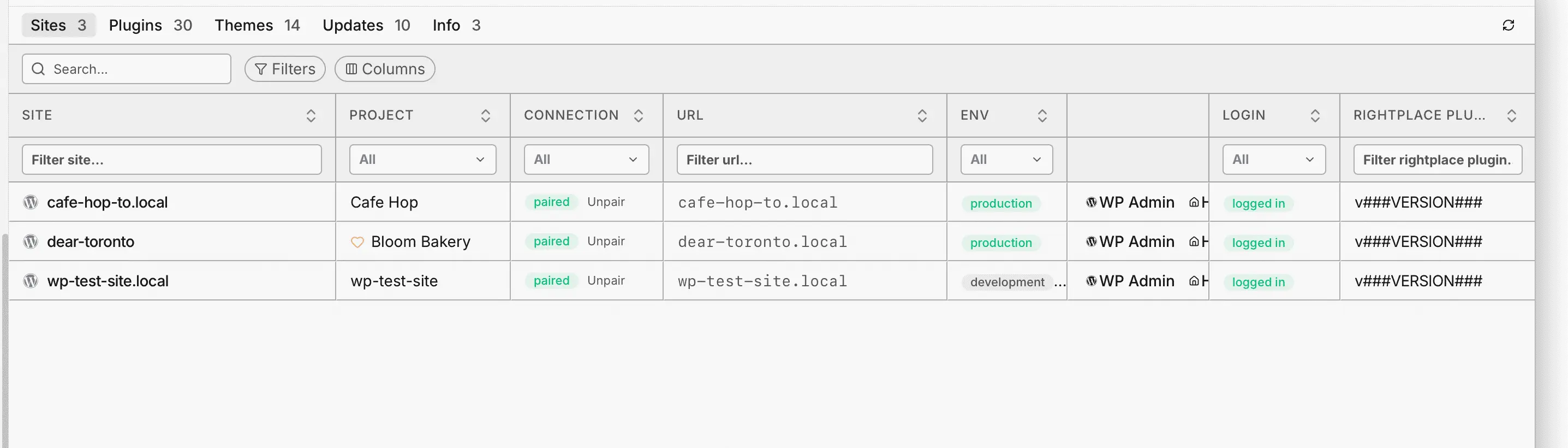
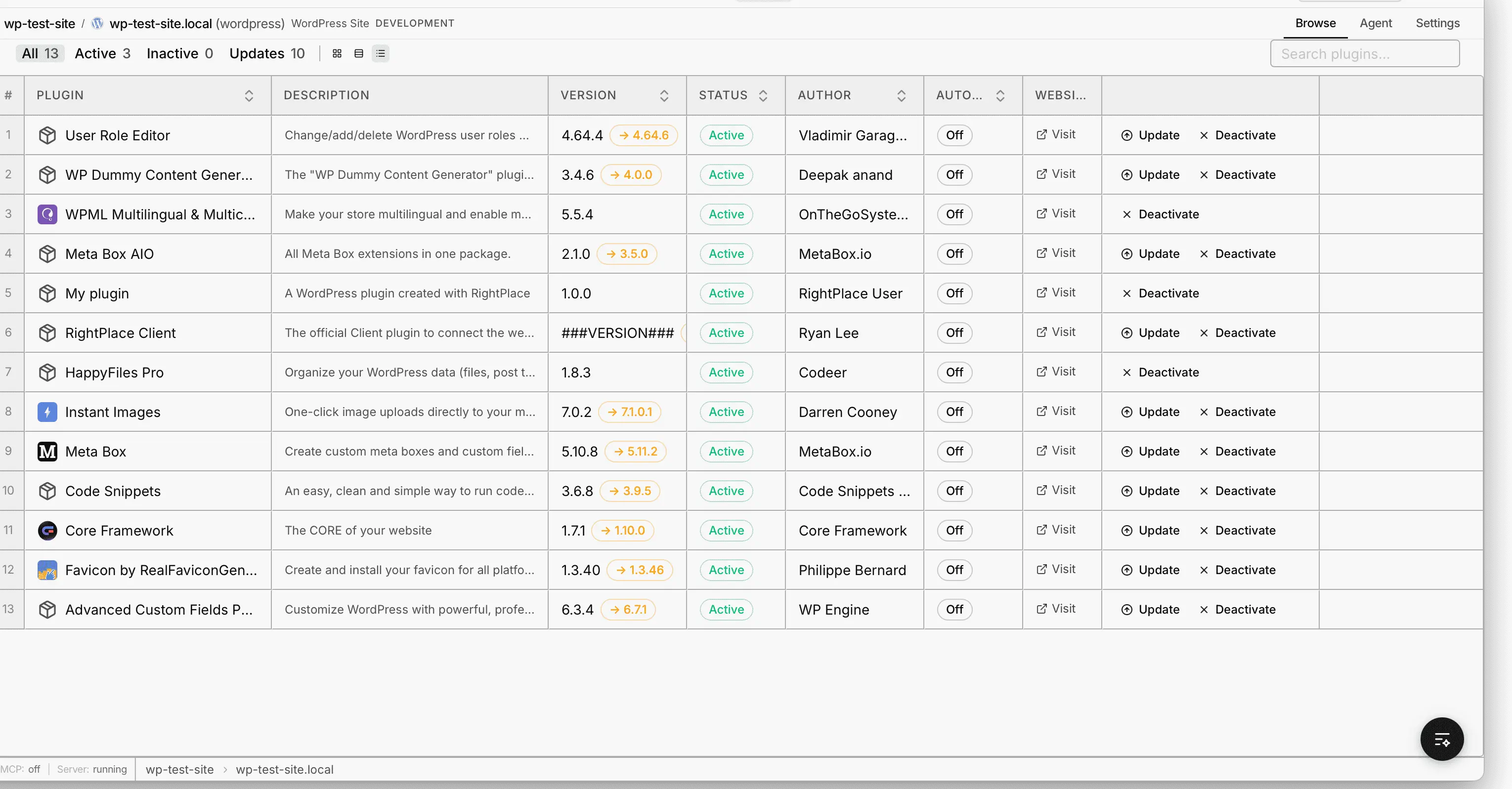
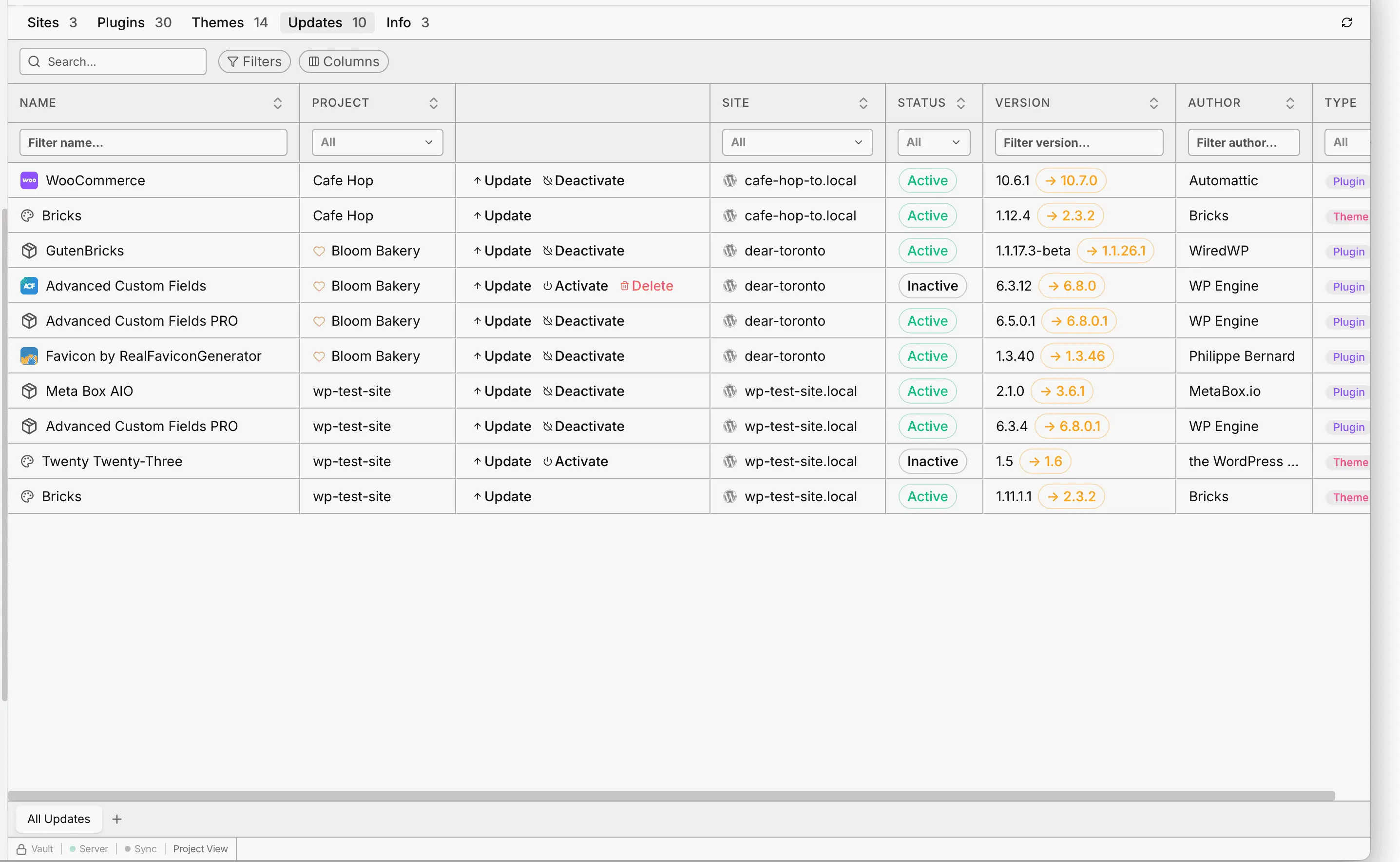
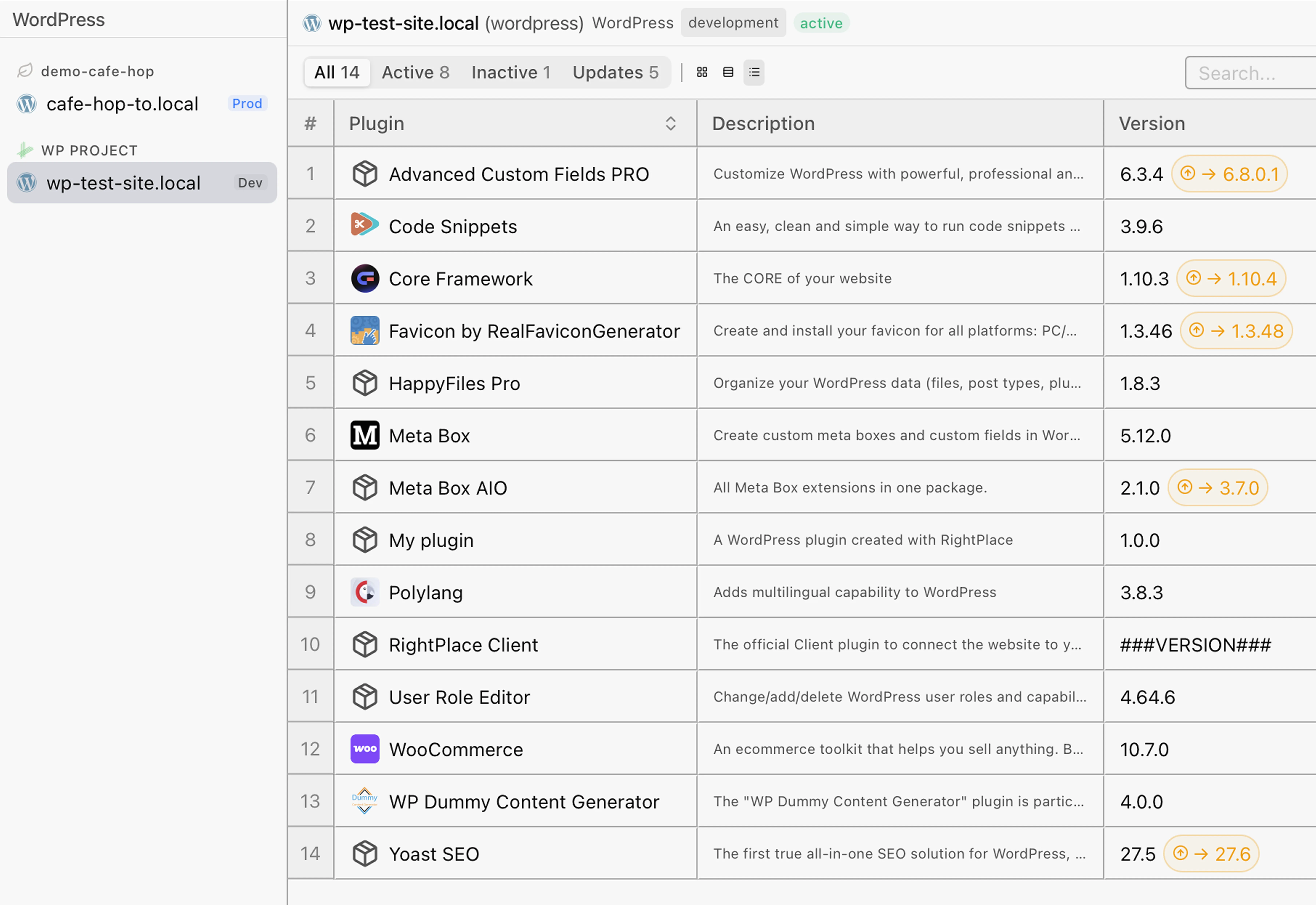
Update plugins, switch themes, and track site health from a live dashboard with update badges and server info.
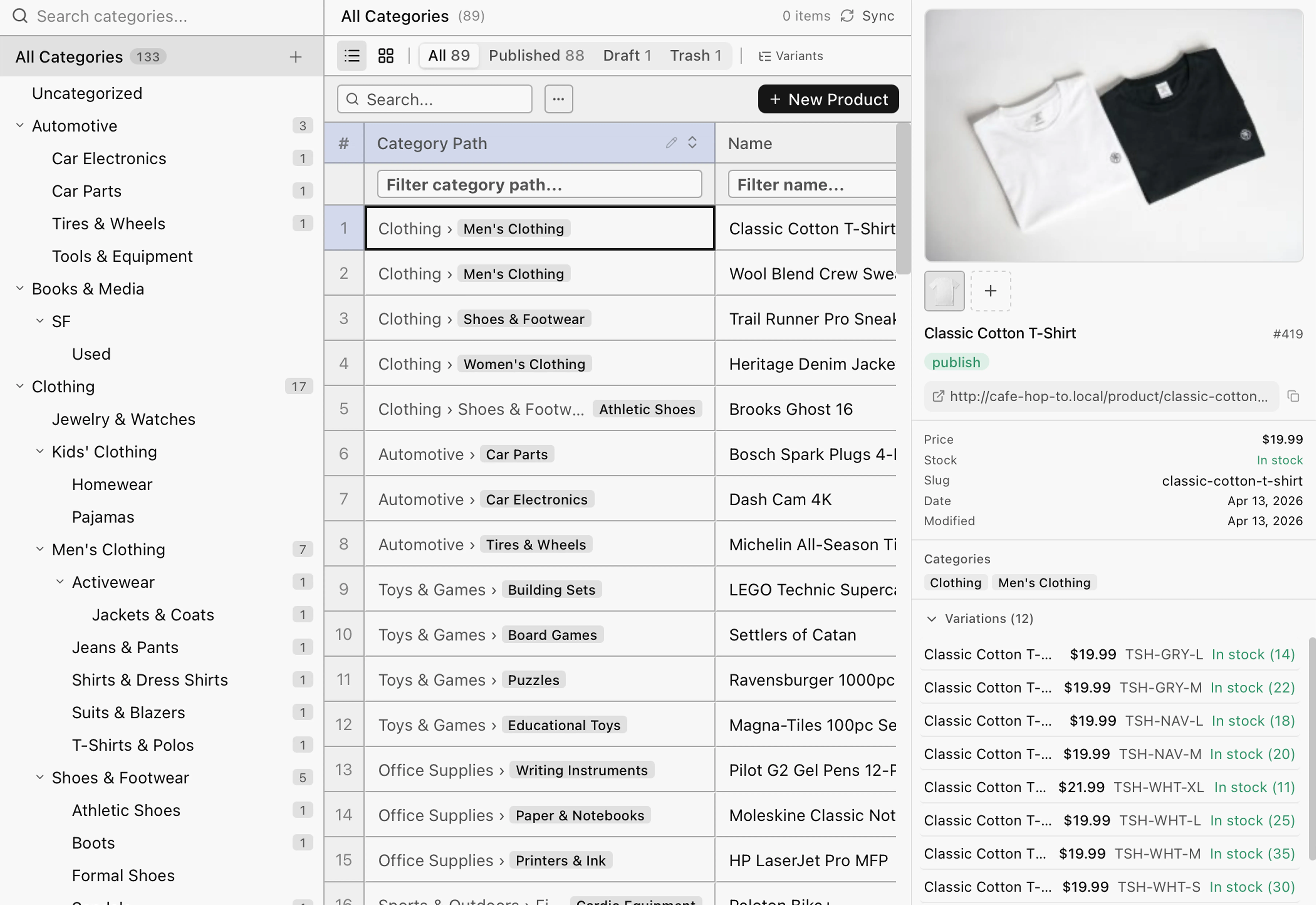
Commerce
Products, categories, orders, and customers with bulk edits, CSV import/export, and store-to-store transfer.
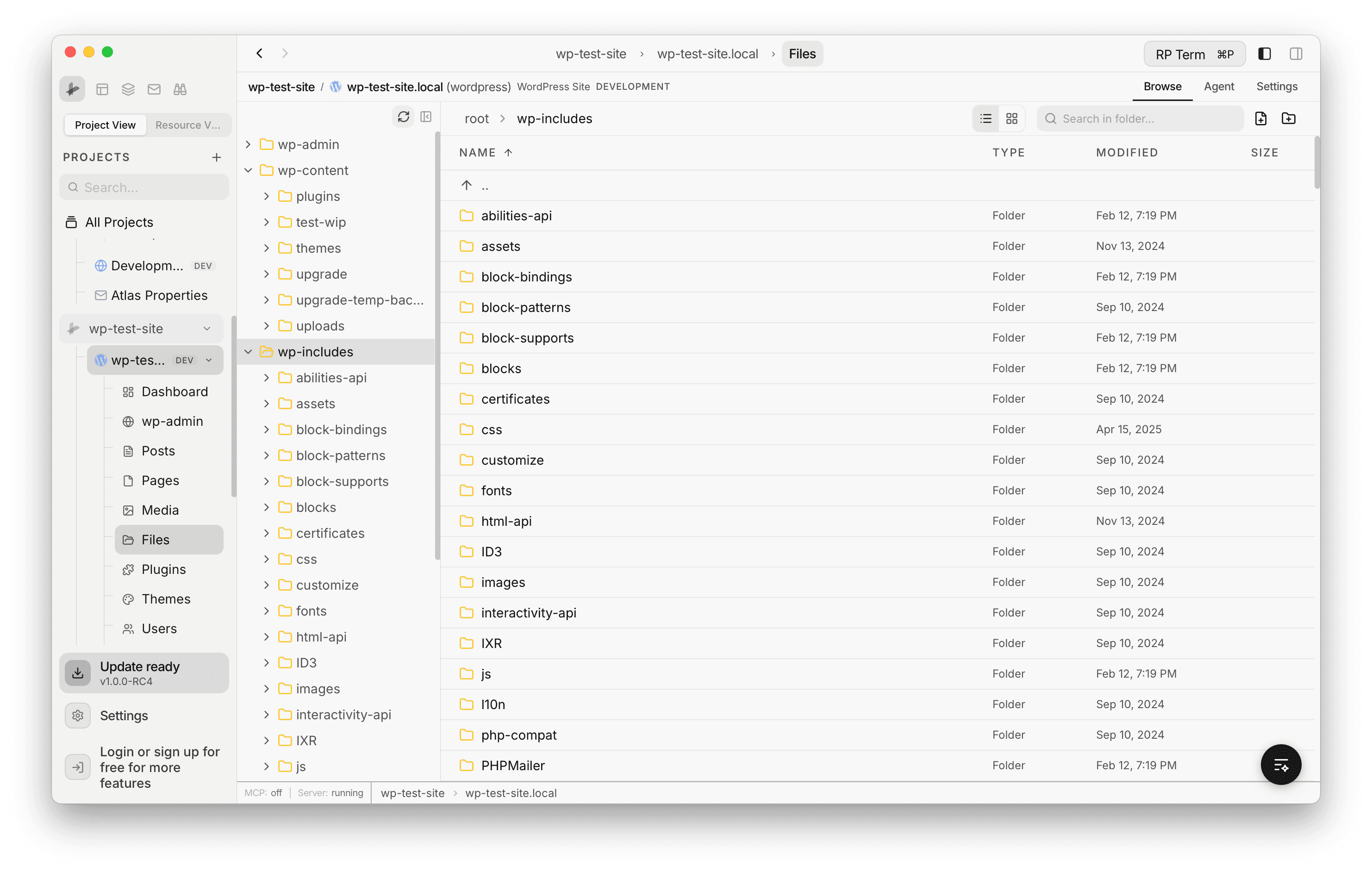
Foundation
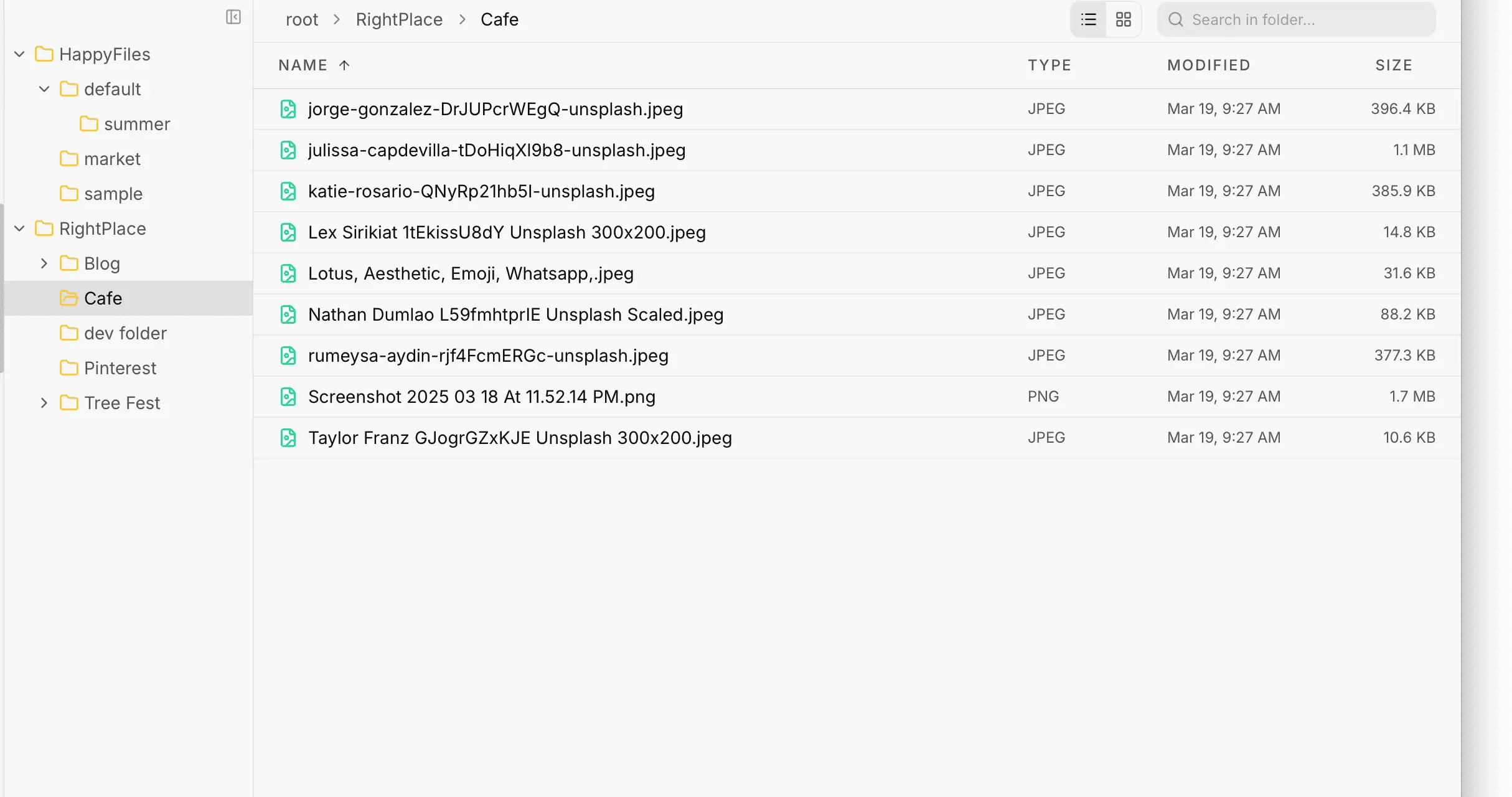
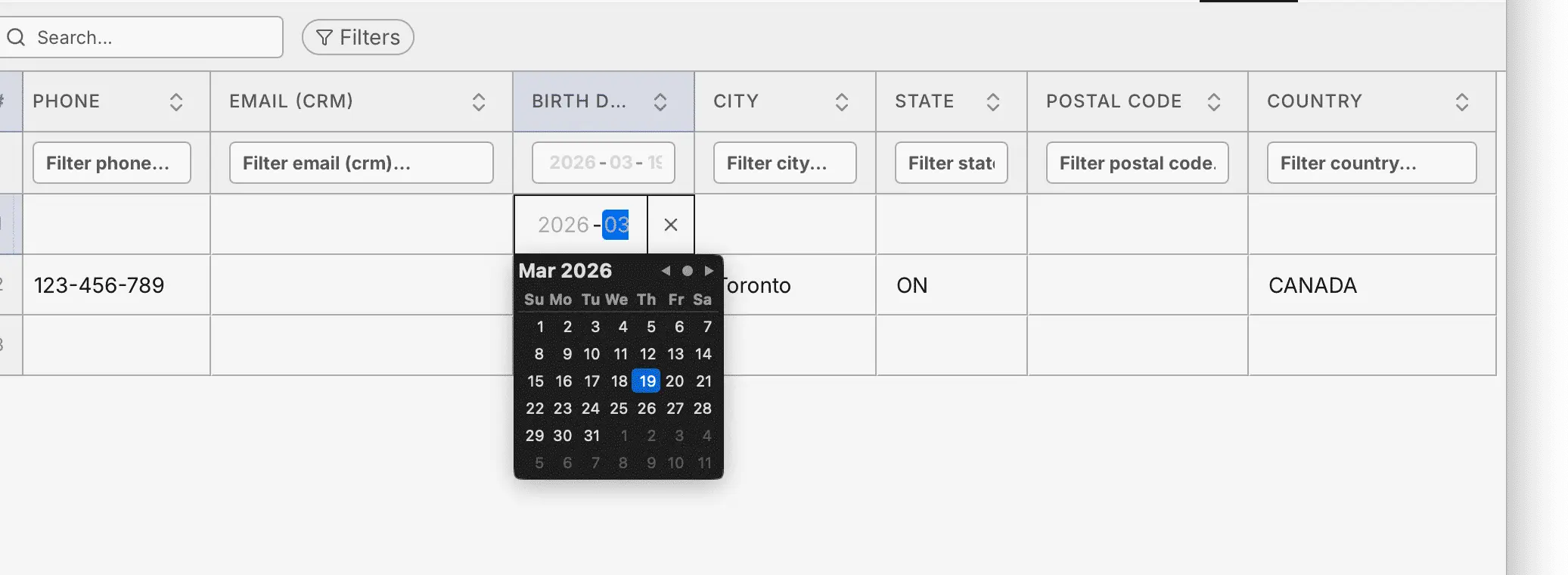
Full filesystem browser, built-in code editor, user management with CRM fields, local sync, and searchable logs.
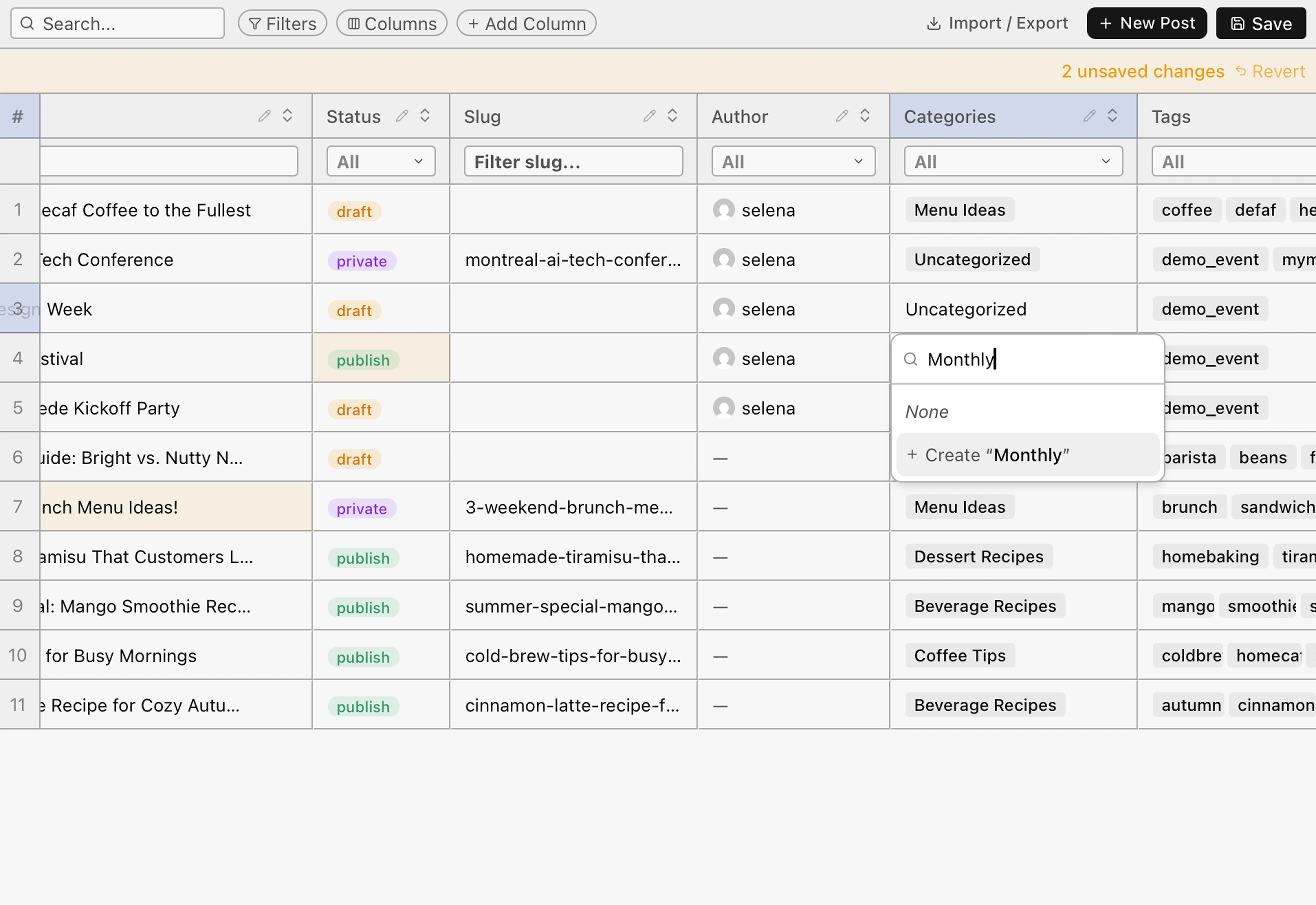
Content and data
Fast, inline-editable tables you can sort, filter, and bulk-edit. Add custom-field columns and save your layouts.
Operations
A live dashboard for updates and health. Plugins, themes, users, files, and logs each in their own view.
Agent tools and MCP
The same actions your team uses, exposed as typed tools agents discover and run. Browse the catalog or chain them into automations.
Beyond traditional MCP
Dumping every tool into the context window worked for demos, not real operations. Our agents discover exactly what each task needs and run proven automations instead of guessing.
Connect an MCP server and every tool definition is dumped into the context window before the agent takes a single action: slower answers, higher bills, and it only gets worse as the catalog grows.
The catalog stays outside the context window. Discovery scans everything and loads only the few definitions the task needs, so the window stays free for actual work, at any catalog size.
Discovery makes scale an advantage instead of a cost, so we keep shipping. New tools and skills land daily, your agents pick them up the day they ship, and a bigger catalog never costs an extra token.
RobinPath is RightPlace's agent-native automation layer: proven runs become templates that fire the right tools in the right order, end to end. Triggered by people, agents, or a schedule, with no re-planning and no guessing.
 RightPlace is crafted by the WiredWP team.Discover the team who built this
Compose your stack
The WordPress applet is one building block. Wire it to spreadsheets, docs, email, and agents, and shape a site operation that fits exactly how you run your business.
Agents at work
An agent discovers the tools it needs and runs them top to bottom. Each step is one applet tool, on a schedule or from a chat.
An agent checks health, applies updates, and streams logs overnight. You wake up to a clean report.
wp-core.checkConnectionRun the full WordPress connection probe: online, REST, plugin, and auth.
wp-core.systemInfoFetch WordPress version, active plugins, active theme, and PHP version.
wp-core.uploadPluginUpload a plugin ZIP to a WordPress site.
wp-logs.startLogStreamOpen a log stream for a site and tail entries.
Bulk-edit posts, sync, and let the agent resolve conflicts. A hundred updates land without manual review.
wp-sync.wpContentListList cached content rows of a type: posts, pages, media, plugins, themes, users, or WooCommerce.
wp-sync.wpContentUpsertInsert or update a content row locally and queue a remote push.
wp-sync.wpSyncRunRun a sync cycle: pull from remote and drain the push queue.
wp-sync.wpConflictsResolveResolve a conflict by keeping the local or the remote version.
Move content between sites unattended. The agent reads, maps fields, and upserts.
wp-sync.wpContentListList cached content rows of a type: posts, pages, media, plugins, themes, users, or WooCommerce.
wp-core.apiRequestAuthenticated WordPress REST chokepoint that every wp-* applet routes through.
wp-sync.wpContentUpsertInsert or update a content row locally and queue a remote push.
Pricing
Every plan below ships the WordPress applet, alongside the full core workspace.
Solo Founder
* Cloud support included until June 1, 2028, then $5 / 100GB per month.
Start todayAgency & Teams
* Cloud support included until June 1, 2028, then $5 / 100GB per month.
Start todayFAQ
Install the RightPlace Client plugin and pair once. Connect as many sites as you like and run them side by side.
No. Browse the full filesystem, edit code in the built-in editor, or hand off to VS Code. No SFTP required.
Yes. ACF, Meta Box, and raw post meta appear as editable columns. Custom taxonomies get searchable pickers.
Yes. Update, deactivate, or delete across all sites from one dashboard with health tracking and update badges.
Products, categories, orders, and customers appear automatically. Bulk-edit, CSV import/export, and store-to-store transfer.
Yes. 200+ typed, permissioned tools agents discover and run. Chain them into automations on a schedule or from a chat.
Logins live in the encrypted Access Vault. They never appear in prompts, and sessions persist across restarts.
Get started
Operate every site by hand or hand it to an agent, on the same permissioned surface.
READY
Connect your WordPress site.
RightPlace is crafted by the WiredWP team.Discover the team who built this